Showing posts with label pixels. Show all posts

Sunday, May 1, 2011

Little Knowledge

0 comments
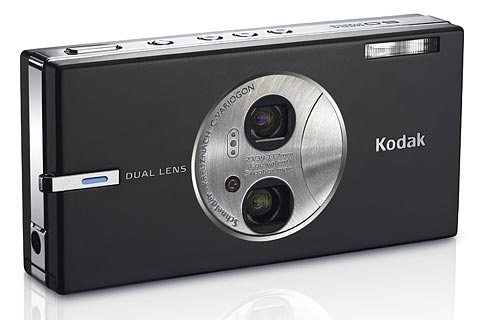
In 1888, George Eastman began promoting the first hand-held Kodak
camera with the slogan, “You press the button, we do the rest.” His idea
was to make the film camera as convenient as the pencil. However, the film
king’s dream didn’t really come true until the invention of the digital
camera.
Certainly, conventional photography has long been as
simple as pressing a button, but the “we do the rest”
part — taking the film to a photo lab, deciding what
size and kind of prints to make, and then waiting for
the results — is a lot less convenient than using a
pencil.
Digital photography has finally put the entire
process of making pictures in the hands of the
person holding the camera. You press the button,
and you can do as much of the rest yourself as
you’re comfortable with. If all you want to do is point
and shoot, you can do that. If you want to get more
involved in the picture-taking and picture-making process,
digital photography gives you the tools for that, too.
You compose the picture through the viewfinder (as always), but now, you
can preview the exact photograph that you’re going to take on a bright LCD
(liquid crystal display) screen on the back of your camera. After snapping a
shot, you can instantly review the photos you’ve taken and erase the bad
pictures on the spot or “mark” the ones you want to print.
You don’t need to remember to stop and buy film. Your digital film is almost
infinitely reusable. You don’t have to drop off your digital film for finishing:
It’s “processed” instantly and ready for viewing or printing using your own
inexpensive color printer. No more sifting through stacks of prints of marginal
images. You decide which images to print and whether to make them
4 x 6 inches or 5 x 7 inches or some other size. You can print them at home
inexpensively or take a tiny digital memory card to a nearby retailer and
have even more inexpensive prints made for you in minutes by an in-store
digital print lab.
On the other hand, if you want to have full control over your photos, digital
photography gives you that, too, to a degree that has never before been
possible. Perhaps your images aren’t exactly right or could benefit from a
little cropping or other improvements. You can fix bad color, remove your
ex-brother-in-law from a family photo, or adjust the borders of an image to
focus on the most interesting subject matter. All you need is an image editor,
such as Photoshop or Photoshop Elements.


Article By Digital Photography for Dummies book
Click here to Read more...

Thursday, April 28, 2011

Deciding how many pixels your camera needs

0 comments
Deciding how many pixels your camera needs
People contemplating the purchase of a digital SLR often agonize over how
many megapixels they should buy, even though you may find other factors
(such as ease of operation and the kind and quality of lenses available for a
particular dSLR) considerably more important in the long run. To a certain
extent, vendors have (at least temporarily) alleviated this agony. In the past
year or two, a surprising number of vendors have settled on 12MP as a basic
benchmark number.

Nikon, for example, has three 12MP digital SLR cameras — a basic entry-level
model, an intermediate amateur camera, and a feature-packed advanced
model that both serious amateurs and professionals love. Canon, too, has
introduced several 12MP models, and other vendors have followed. Of
course, for most applications, you don’t really need more resolution. But,
with competitive pressures being what they are, I don’t know just how long
the 12MP plateau will remain the standard. (I urge those of you reading this
in 2012 with your $499 21MP cameras to refrain from laughing.)
Although more pixels usually equal more resolution and more detail in your
pictures, the number of pixels you actually need depends on several factors:

1. How you plan to use the photo: An image that you place on a Web site
or display in presentations doesn’t need to have the same resolution as
one that you use professionally — for example, as a product advertisement
or a magazine illustration.

2. How much manipulating and cropping you plan to do: If you want
to give your images quite a workout in Photoshop or you often crop
small sections out of images to create new perspectives, you want all
the spare pixels that you can muster because high-resolution images
can withstand more extensive editing without losing quality than lowresolution
images can.

3. How much you plan to enlarge the image: Many people view most of
their images on a computer display or in 4-x-6-inch to 5-x-7-inch prints.
Any dSLR has enough megapixels for those modest applications. If
you’re looking to make blowups bigger than 8 x 10 inches (for example,
to make posters or prints that you display on the wall), you need a
plethora of pixels.

4.The resolution of your printer: Most digital images are printed on
inkjet or dye sublimation devices that have their own resolution specifications,
usually from 300 dpi (dots per inch) to 1440 dpi and beyond.
Printers work best with images that more closely match their own
ability to print detail.
If you primarily want to create prints, the following section can help you
gauge which capabilities you need in your camera and printer so that you
can get the best output possible.

Article From : Digital SLR Cameras and Photography For Dummies 3rd Ed. (Book)
Click here to Read more...

Wednesday, April 27, 2011

Megapixels and Why dSLRs Have More of Them

0 comments
Megapixels and Why dSLRs Have More of Them
If you’ve been working with digital images for a
while, you know that pixels are your pals. They’re
the basic building blocks that make up an image. The
term pixel is a portmanteau, which was Lewis Carroll’s
term for a new word created by combining two old
words, such as slimy and lithe to create slithy. In this case,
pixel stands for picture element and came into vogue when
computer imaging became popular.
However, you’ve seen pixel-like components outside the digital realm, in
pointillist paintings, such as the illustrations Georges Seurat created for the
Broadway musical Sunday in the Park with George. You also see pixel-like
components in newspaper halftone photos. All these images are made up of tiny dots that you can see vividly up close, but those dots blend to create
continuous tones and colors when you view them from a distance,The difference between these picture elements and those used to represent digital photos is that the digital pixels are all the same size
and shape, varying only in brightness and hue.
In digital images, the pixels — tiny squares that you can see individually only
under magnification — are arranged in rows and columns like a checkerboard
that happens to measure hundreds of squares on a side. Among current digital
SLRs, this array is a minimum of 3,008 pixels wide and 2,000 pixels tall,
for a total of 6 million pixels in all. (Although the last of these 6-megapixel
cameras will probably be phased out early in the life of this book.) The latest
digital SLR cameras for consumers actually offer many more pixels than that,
from 3,872 x 2,592 (10 million) pixels for certain entry-level models to 4,288
x 2,848 (12 million) pixels or more for the majority of digital SLRs. Of course,
pro and advanced amateur cameras go up to 6,048 x 4,032 (24.5 million)
pixels. That’s a lot of pixels! Those pixel counts represent the number of light-sensitive areas in the
digital camera’s sensor, and the total is usually expressed in terms of megapixels
(millions of pixels), and abbreviated MP. The precise dimensions
might vary, depending on the exact sensor used. For example, the Nikon D40
uses a 3,008-x-2,000-pixel sensor, but the original Canon Digital Rebel had a
3,072-x-2,048-pixel array. Both cameras were considered 6MP dSLRs, even
though the arrangement and number of pixels is slightly different.

Pixelementary, my dear Watson
Pixels, represented by individual
light-sensitive areas in a sensor
called photosites, capture the detail
in your image. In general terms,
the more megapixels, the better
because when you add pixels, the
ability of the sensor to capture detail
improves and the effective resolution
of the sensor rises.
It’s like dividing a foot-long ruler into
1,200 increments rather than 120.
In the former case, the ruler could
measure things with 1/100-of-an-inch
accuracy; in the latter, you could
use the rulings only in 1/10-of-an-inch
chunks. In the same vein, a sensor of
a particular size that has 12MP can
show much finer detail than one the
same size that has only 6MP. when
the size of the pixels decrease, more
of them can fit on a sensor to capture
ever smaller details of the original
image. However, image quality
involves more than resolution alone.
Many 10MP dSLRs produce sharper
and more noise-free results than
12MP non-dSLRs simply because the
10MP dSLR’s sensors are physically
larger and each individual pixel is
better than a non-dSLR’s sensor’s.
Some dSLRs even outperform other
dSLRs that have more resolution
because of the quality of the sensors,
lenses, or electronic circuitry in the outperforming dSLR. For example, I have a 12MP pro dSLR that consistently
produces better results than a 14MP entry-level model from another vendor,
particularly under lower light levels. The raw number of megapixels gives
you only a guideline, even though the more pixels, quite often the better your
images look.

Article From : Digital SLR Cameras and Photography For Dummies 3rd Ed. (Book)
Click here to Read more...